
If you have been following photo editing software over the past few years, you know that Skylum has continually pushed the envelope with artificial intelligence. However, navigating product naming changes, feature updates, and licensing models could sometimes feel like a puzzle.
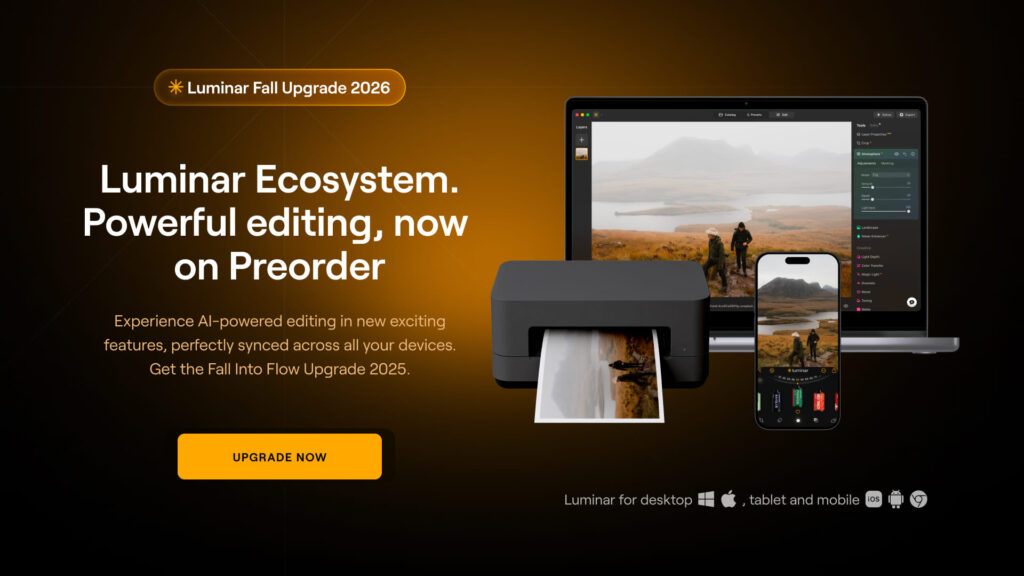
Well, Skylum has listened! In this major update, Skylum is turning a new page: the “Neo” name has been officially dropped, returning the software to its iconic original name—Luminar.
Alongside this name refresh comes a redesigned user interface, an upcoming Fall Upgrade, and a simplified, flexible tier system for both brand-new users and long-time license holders.
In this post, we’ll break down what is coming in the Fall release, clarify the new pricing structure, and help you choose the right option for your workflow.
What’s New in the Luminar Fall Upgrade?
Skylum’s Fall release brings a slew of intelligent tools, performance boosts, and workspace enhancements designed to speed up your editing while giving you deeper artistic control.
Here is a preview of the upcoming features:
- Redesigned User Interface: A cleaner, more intuitive workflow that helps you access key tools faster without cluttering your screen.
- Luminar Web (Web Editor): Edit your photos directly in a web browser without sacrificing processing power.
- Integrated Print Feature: Order physical prints and wall art directly from within your workflow.
- Atmosphere AI 2.0 (Fog & Depth): Create hyper-realistic atmospheric effects like fog, mist, and haze with precise depth awareness.
- Composition Tool / Crop AI 2.0: Get smart frame recommendations that analyze horizon lines, subject placement, and golden ratios automatically.
- AI Assistant 2.0: An intelligent companion that analyzes your image and offers tailored one-click fixes or creative direction.
- Enhanced Masking: Precision selection tools that make masking hair, foliage, complex transparent edges, and sky borders significantly faster.
“The goal of the Fall Upgrade isn’t just adding tools—it’s streamlining your entire workflow from initial import on desktop to browser-based quick tweaks and final physical print.”
Decoding the New Pricing Structure
One of the most frequent questions from photographers is: “How does Luminar pricing work now?”
Skylum has restructured its offerings into three clear plans for new users and an optional membership pass called Luminar Prime for existing owners.
Here is the key distinction: You still get perpetual ownership of the base software, while AI cloud features and continuous asset updates operate on a simple 365-day access cycle.
Options for New Customers
If you are new to the Luminar ecosystem, you can choose between three distinct packages based on where and how you prefer to edit:
| Plan | Price (Pre-Sale) | Platforms Supported | Key Features Included | Best For |
| Desktop Only | $129 (One-time) | Windows & macOS | • Full Luminar Desktop App • 1 Year AI Tools Access • Fall 2026 Desktop Upgrade | Photographers who edit exclusively on a computer. |
| All Platforms | $159 (One-time) | Desktop, Mobile & Web | • Everything in Desktop • Luminar Mobile App • Lifetime Access to Luminar Web | Creative photographers who need cross-device editing on the go. |
| Max | $199 (One-time) | Desktop, Mobile & Web | • Everything in All Platforms • 1 Year of Luminar Prime • 3,500+ Creative Assets & 50+ hrs Courses | Power users who want all platforms, creative assets, and learning materials. |
👉 Explore Special Pre-Sale Offers for New Customers Here
What About Existing Luminar Owners? Enter Luminar Prime
If you already own a perpetual license for Luminar, you do NOT need to buy the software again. Your existing license and previously purchased features remain yours forever.
However, to stay on the cutting edge of new software updates, access cross-device editing, and tap into Skylum’s massive library of presets and courses, Skylum introduced Luminar Prime.
Key Benefits of Luminar Prime for Existing Users:
- Continuous Feature Upgrades: Get instant access to the Fall release and every permanent software update released while your membership is active.
- You Keep What You Unlock: Unlike traditional software subscriptions where you lose access to everything if you cancel, any permanent editing feature unlocked during your active Prime membership remains yours forever.
- Luminar Web Access: Full access to the web editor when it launches.
- The Creative Library: Replaces the old X Membership, giving you instant access to 3,500+ assets (presets, LUTs, skies, overlays) and over 50 hours of photography courses.
Note on Creative Assets vs. Editing Tools: Editing features unlocked while Prime is active remain yours permanently. However, access to the streaming Creative Asset Library and cloud Generative AI tools requires an active Prime membership.
👉 Upgrade to Luminar Prime with Current Owner Pre-Sale Pricing
Which Plan Should You Choose?
To make your decision as effortless as possible, follow this quick checklist:
- Choose “Desktop Only” if: You edit on one Mac or PC, don’t care about mobile/web tools, and want a simple photo editor.
- Choose “All Platforms” if: You shoot on cameras and smartphones alike, and want the freedom to edit seamlessly across desktop, mobile, and web.
- Choose “Max” if: You are new to Luminar and want the full experience—all apps, unlimited creative assets, educational courses, and a full year of Prime upgrades.
- Get “Luminar Prime” if: You already own Luminar and want the Fall Upgrade, Luminar Web, and ongoing feature updates without re-buying standalone upgrades every year.
Final Thoughts & Pre-Sale Discount
With the removal of the “Neo” tag, a streamlined brand identity, a fresh interface, and transparent tiers, Skylum has made it easier than ever to jump into AI-assisted photo editing.
The pre-sale window is currently live, offering discounts of up to 50% off retail launch prices for a limited 24-hour launch period.
- New to Luminar? Grab your copy with early-bird pricing via this link: Get New Customer Pre-Sale Pricing
Already an Owner? Secure your Prime membership and unlock the Fall Upgrade here: Get Existing Owner Prime Upgrade Pricing